
Duct radiator control

The duct radiator can be placed in the outdoor or supply air duct. If the duct radiator is placed in the outdoor air duct, it can be used for pre-heating and/or cooling. If the duct radiator is placed in the supply air duct, it can only be used for cooling.

The duct radiator can be set to work automatically or manually.

  • Automatic — In summer, the set supply air temperature is maintained. In winter, the duct radiator is switched on when the outdoor air temperature drops below the winter setting.
  • Manual — In summer, the duct radiator is switched on when the outdoor air temperature rises above the summer setting. In winter, the duct radiator is switched on when the outdoor air temperature drops below the winter setting.
To eliminate the supply air duct’s condensation risk, decide whether the supply air limit is adjusted automatically or manually:
  • Automatic — The supply air limit is adjusted automatically according to the extract air dew point. When the supply air temperature drops too low, the duct radiator is switched off.
  • Manual — The supply air limit can be set manually. When the supply air temperature drops below the set value, the duct radiator is switched off.
Important:

Please note the risk of condensation when changing the duct radiator settings.

  1. Select Settings.
  2. Select Expert settings with the arrow buttons.
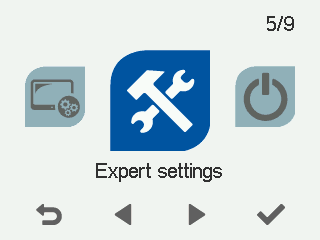
  3. Select OK.
  4. Select I/O and bus settings with the arrow buttons.
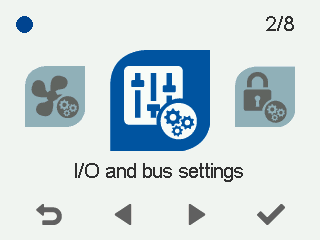
  5. Select OK.
  6. Select Relay settings with the arrow buttons.
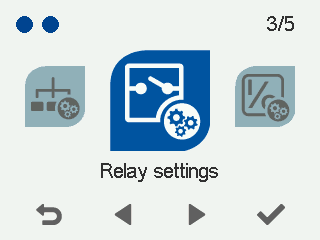
  7. Select OK.

    The Relay settings screen opens.
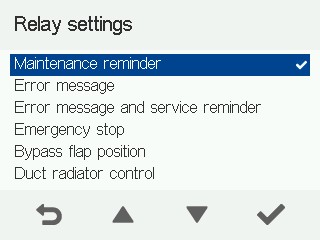
  8. Select Duct radiator control as the relay’s operating mode with the arrow buttons.

    The Duct radiator settings screen opens.
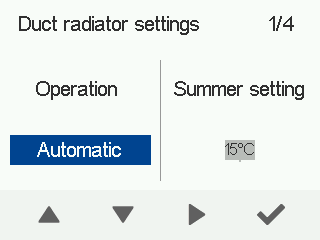
  9. Set the duct radiator operation with the arrow buttons. The options are:
    • Automatic
    • Manual
  10. Select Right arrow.
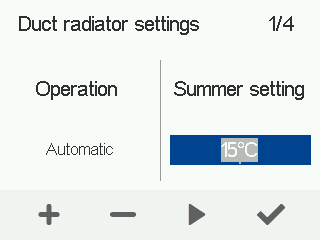
  11. Use the Plus and Minus buttons to set the summer setting.
    Note:

    If you have selected automatic duct radiator operation, you cannot change the summer setting. The summer setting is set between +10°C and +25°C. The factory setting is +15°C.

  12. Select Right arrow.
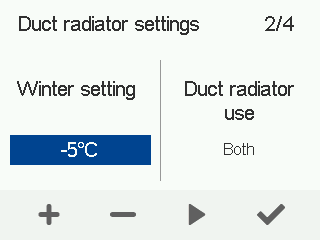
  13. Use the Plus and Minus buttons to set the winter setting. The winter setting is set between -10°C and +5°C. The factory setting is -5°C.
  14. Select Right arrow.
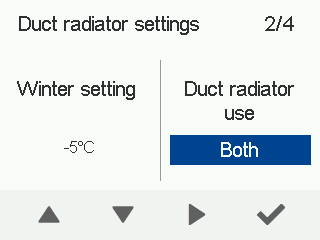
  15. Use the arrow buttons to select the duct radiator operating mode.
    The options are:

    • Both — The duct radiator is used for pre-heating and cooling.
    • Pre-heating — The duct radiator is only used for pre-heating.
    • Cooling — The duct radiator is only used for cooling.
  16. Select Right arrow.
  17. Use the arrow buttons to configure how the supply air limit is adjusted. The options are:
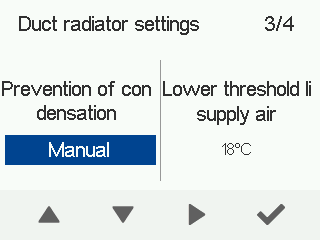
    • Automatic — The supply air limit is adjusted automatically according to the extract air dew point.
    • Manual — The supply air limit can be set manually.
  18. Select Right arrow.
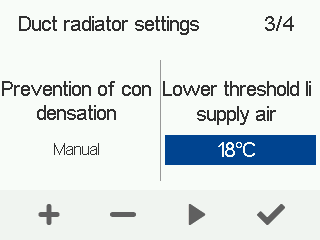
  19. Use the arrow buttons to configure how the supply air limit is adjusted. The supply air limit is adjusted between +12°C and +25°C.
    Note:

    If you have selected automatic supply air limit adjustment, you cannot adjust the supply air limit manually.

  20. Select Right arrow.
  21. The External sensor settings screen opens.
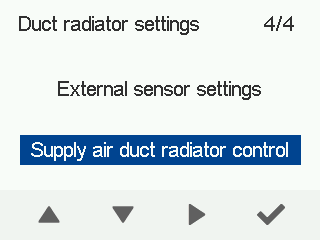
    Use the arrow buttons to configure the operating mode of the external sensor. The options are:

    • None — The duct radiator is in the outdoor air duct and no external sensor has been connected.
    • Outdoor air duct radiator control — The duct radiator and external sensor are in the outdoor air duct.
    • Air heating control — Not used to control the duct radiator.
    • Supply air duct radiator control — The duct radiator and external sensor are in the supply air duct.