
Heating settings
IMPORTANT:
Do not change the heating settings without consulting an HVAC expert.
- Select Settings.

- Select Expert settings with the arrow buttons.
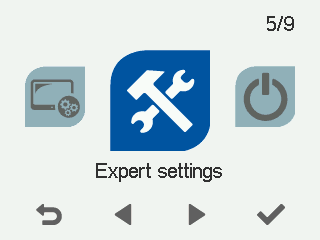
- Select OK.

- Select Heating settings with the arrow buttons:
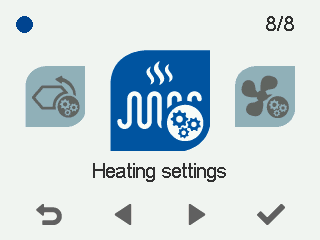
- Select OK. The Heating settings screen opens:
- Select the heating method with the arrow buttons:
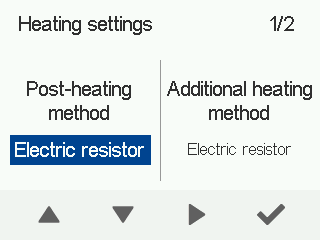
- Electrical resistor
- Water heater
- None
- Select Right arrow.
- Select the additional heating method with the arrow buttons:
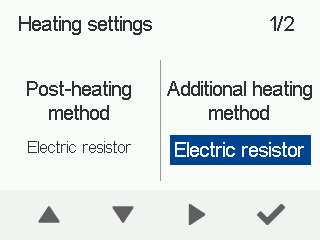
- Electrical resistor
- Water heater
- None
- Select Right arrow.
- Set the temperature limit of the heating season using the Plus and Minus buttons. The adjustment range is 0°C to +19°C. The factory setting is +12°C.
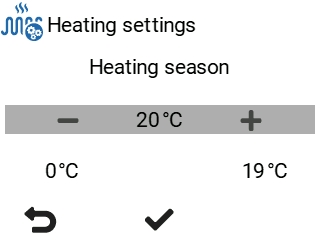
The heating season setting specifies the outdoor temperature limit below which the ventilation unit uses the post-heating resistor as needed to heat the supply air. The HR cell bypass is then disabled.
When the outdoor air temperature is below the set value:- the supply air is heated with post-heating as needed
- HR cell bypass is disabled.
When the outdoor air temperature is above the set value:- post-heating resistor is disabled
- HR cell bypass and partial bypass can operate when required.
Example: If the heating season limit is set at +12 °C and the outside temperature is below that, the ventilation unit can use post-heating to maintain the set supply air temperature. The heat recovery cell bypass is not in use.
- Select Right arrow.
- Select the material of the HR cell with the arrow buttons:
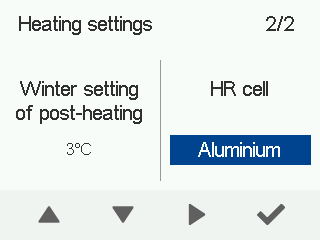
- Aluminium
- Plastic
- Enthalpy