
Relay settings
In the Relay settings menu, you can choose the operating mode of the ventilation unit’s 24 V relay. Only one operating mode can be selected at a time.
The information is also accessible through the Modbus.
To set the operating mode of the ventilation unit’s relay:
- Select Settings.

- Select Expert settings with the arrow buttons.
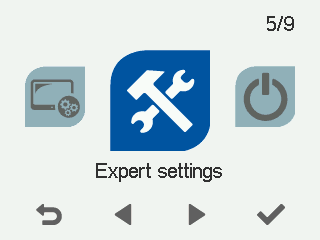
- Select OK.

- Select I/O and bus settings with the arrow buttons.
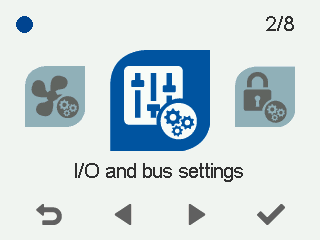
- Select OK.
- Select Relay settings with the arrow buttons.
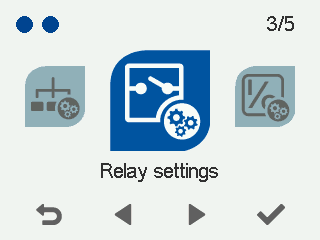
- Select OK.
The Relay settings screen opens.
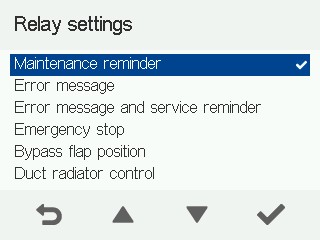
- Use the arrow buttons to select the operating mode of the 24 V relay. The options are described in the table below:
Table 1. Relay functions Function Ends closed Ends open Maintenance reminder — When the unit’s maintenance reminder is activated, the relay changes its mode. This change of mode can be read by the building automation system, for example.
Normal operation
Maintenance reminder
Error message — If there is an error in the ventilation unit, the relay changes its mode. This change of mode can be read by the building automation system, for example. The error is also recorded in the error log.
Normal operation
Error situation Error message and maintenance reminder — If the unit’s maintenance reminder is activated or if there is an error in the ventilation unit or the unit has been turned off, the relay changes its mode. This change of mode can be read by the building automation system, for example. The maintenance reminder notifies the user of the need for maintenance every four months (factory setting). For more information, see Maintenance.
Normal operation
Maintenance reminder/error
Emergency stop — If the unit’s emergency stop is activated, the relay changes its mode. The emergency stop is usually activated by an external signal received through the digital input. The emergency stop information can be sent to the building automation system, for example.
Normal operation
Emergency stop
Position of the bypass damper — The relay indicates the bypass damper position. This change of mode can be read by the building automation system, for example.
Heat recovery
Cell bypass
Duct radiator control — This setting is used when a duct radiator has been installed in the ventilation duct. The relay can be used to control devices connected to the duct radiator, such as the pump, solenoid valve etc. For more information, see Duct radiator control.
NOTE:The relay’s voltage is only 24 V, so the information cannot be directly used to control the 230 VAC feed and e.g. a contactor is needed in between.
On
Off
None — The relay function is not in use.
Normal operation Normal operation Air heating — This setting is used in the warm-air heater. Use the relay to control the liquid radiator actuator of the warm-air heater.
On Off On/off status — The relay will change the mode in error situations or when the unit has stopped.
Normal operation Error situation/the unit has stopped - Confirm your choice by pressing Select:

- When you have confirmed the selection, press Back:
