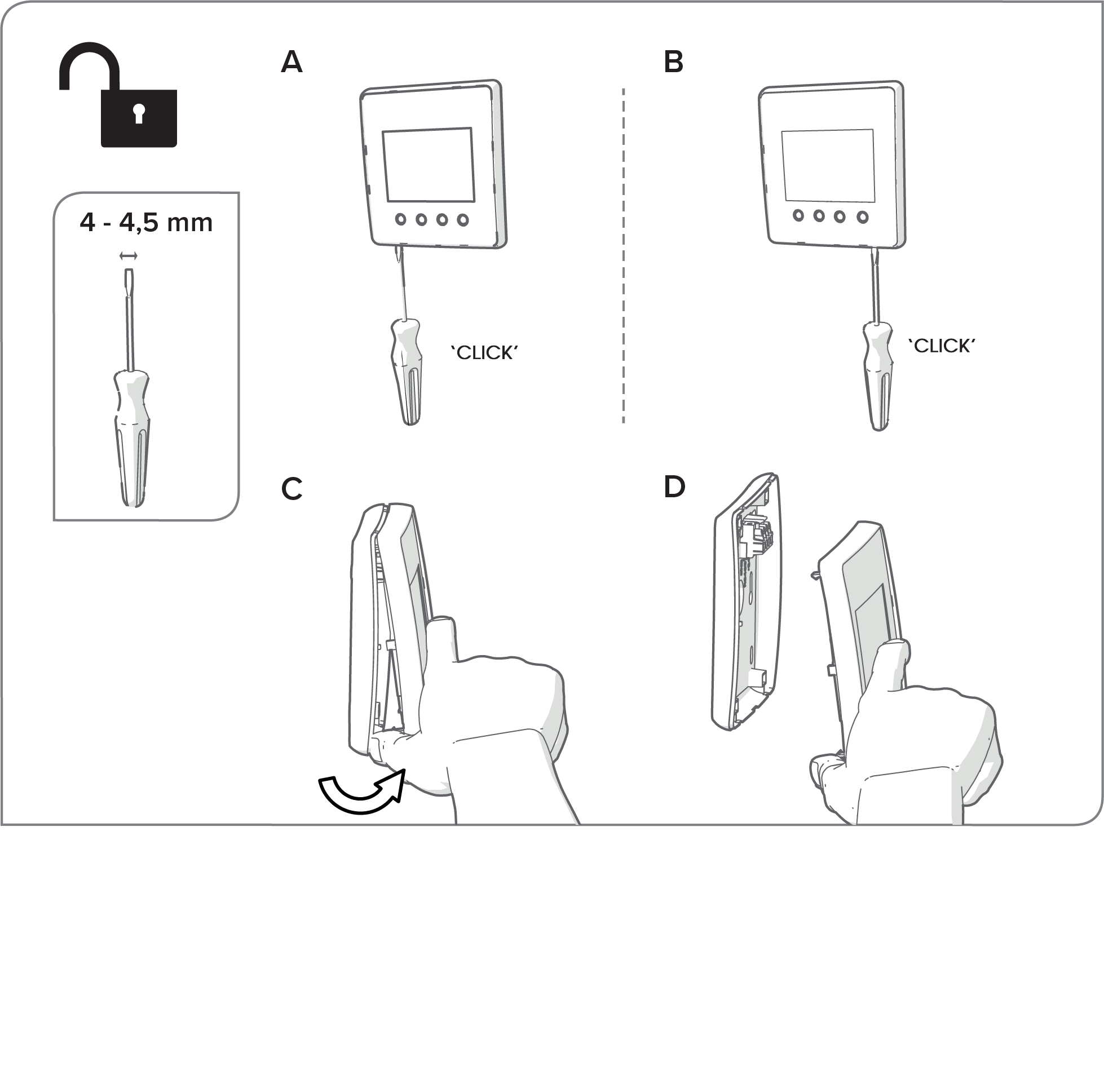
Installation of the MyVallox Control panel
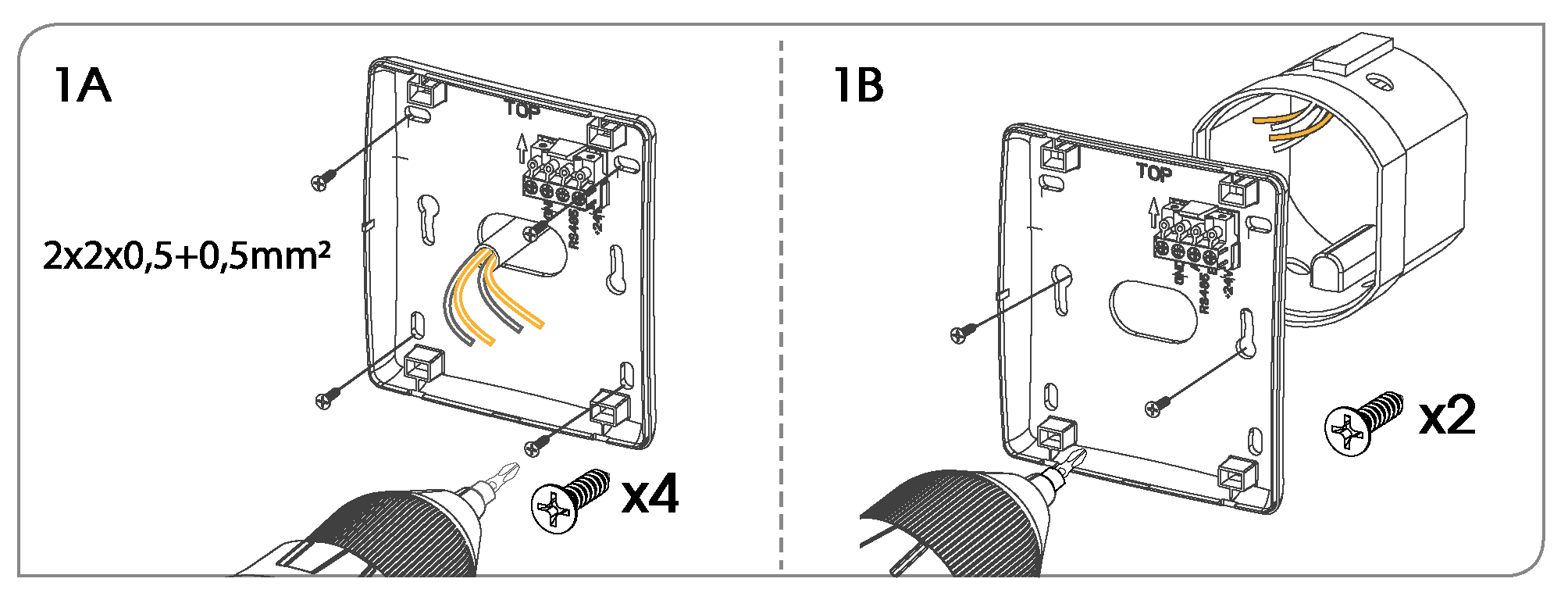
- Screw the back of the control panel to a wall according to image 1A or to an outlet box according to image 1B.
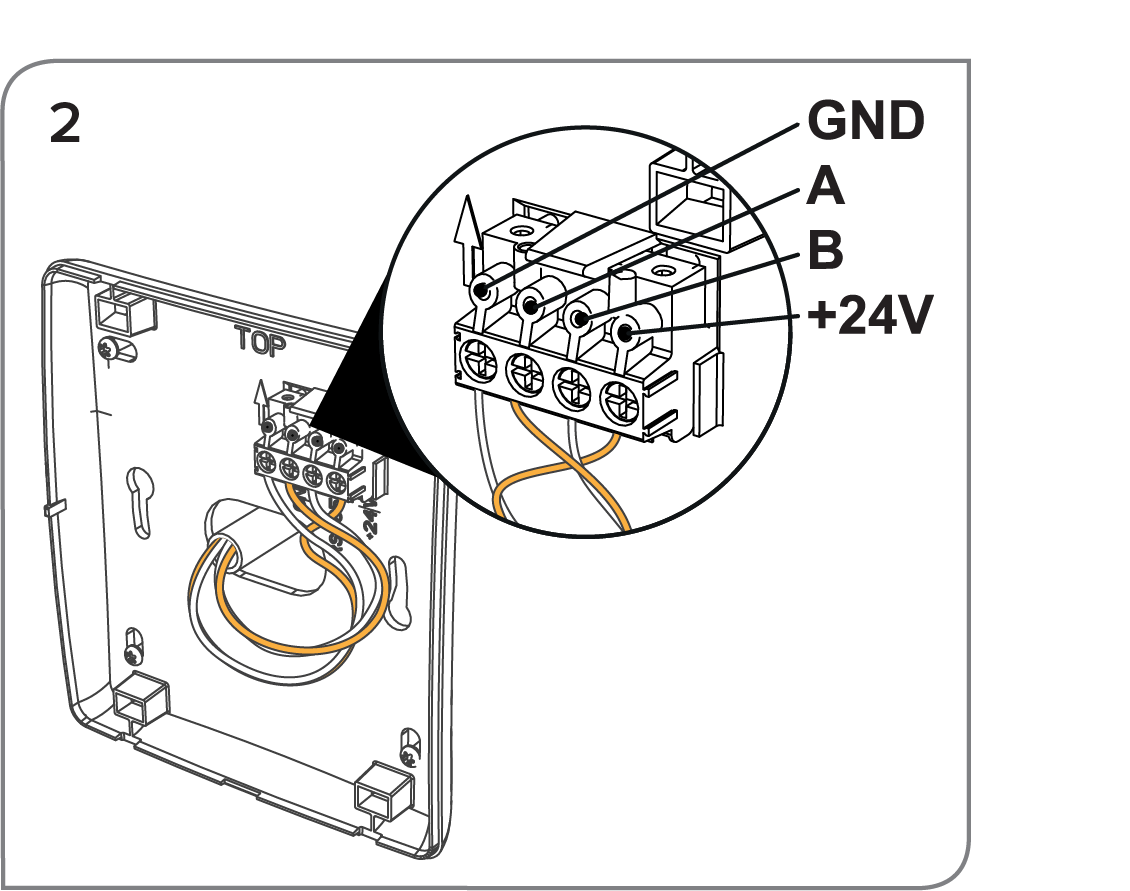
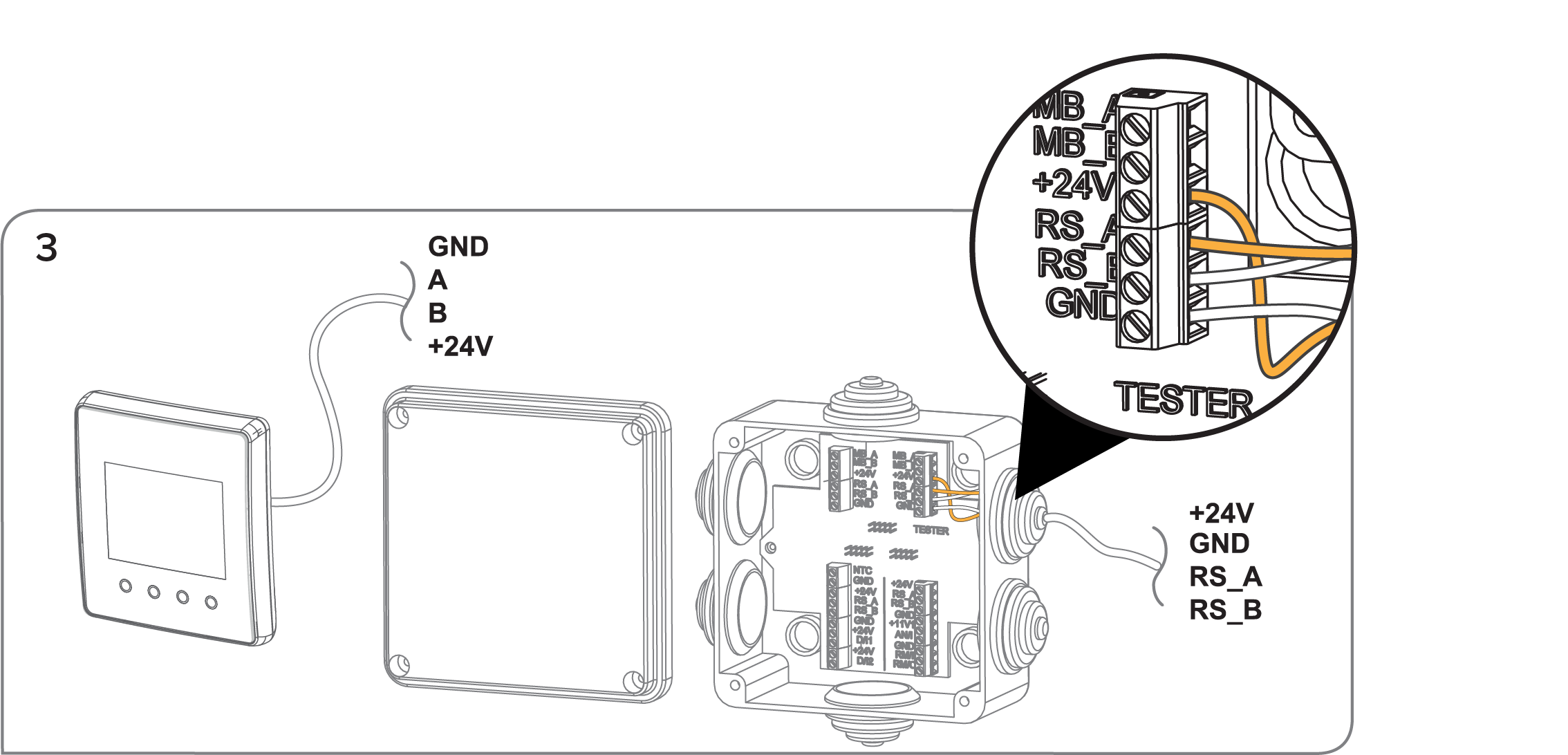
- Connect the wires to the control panel and the ventilation unit’s external connection box according to images 2 and 3.
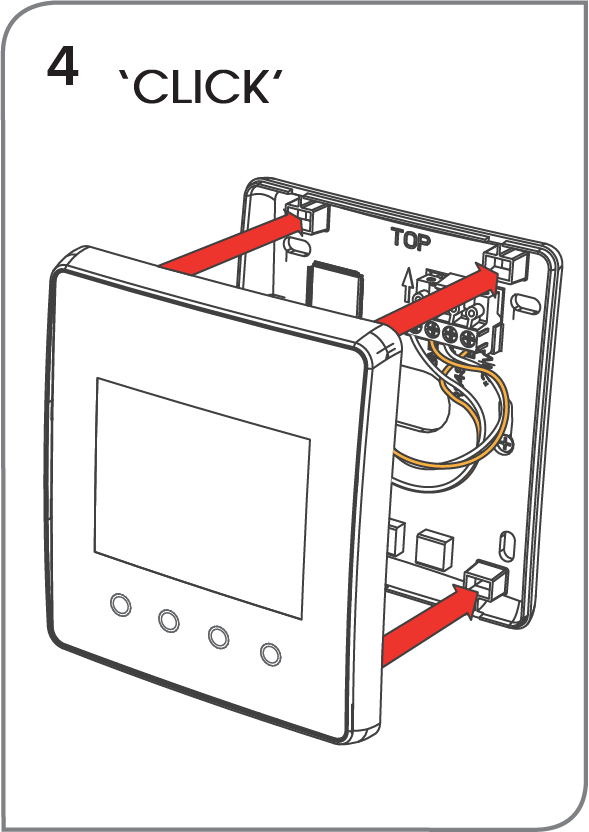
- Push in the panel’s front cover. You can hear a click when the cover is locked in place.
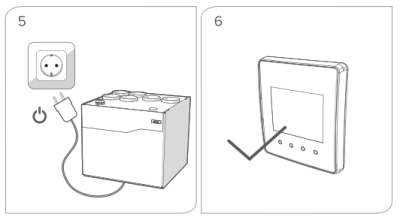
- Plug in the ventilation unit. If the wires are connected correctly, both the unit and the control panel are turned on.
If you must remove the control panel’s front cover, unplug the unit first. Remove the front cover by turning the pawls at the bottom of the panel 90° with a screwdriver and pull out the front cover bottom first.