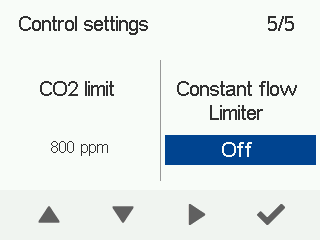
Activating the constant air flow limiter (CFi)
By default, the constant air flow limiter is deactivated. When the function is activated, it monitors the ventilation unit’s operation automatically and the unit runs as usual with the constant air flow function enabled. If ventilation performance becomes weaker due to, for example, a blocked filter, the constant air flow limiter stops the fan speed from spiking to avoid excessive noise.
When the limiter is activated, an icon appears in the main view: 
The limiter icon in the main view indicates when the function is active:
When the air flow goes back to normal (e.g. after the blocked filter has been cleaned), the limiter automatically returns to stand-by mode and the unit continues to adjust the constant air flow normally.
The limiter is used in locations where the filters are replaced centrally, for example, in apartment blocks.
To enable the constant air flow limiter:
- Select Settings.

- Go to Expert settings and select Control settings.
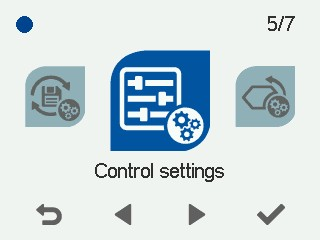
- Enable or disable the constant air flow limiter.