
Unit information
Unit information is a list of all the ventilation unit properties and different ventilation events.
- Select Settings:

- Select Service menu with the arrow buttons.
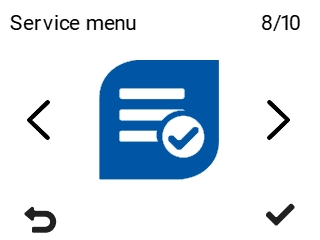
- Select OK:

- Select Unit information with the arrow buttons:
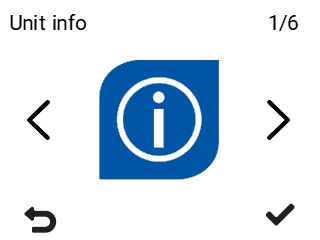
- Select OK:

The Unit information screen opens:
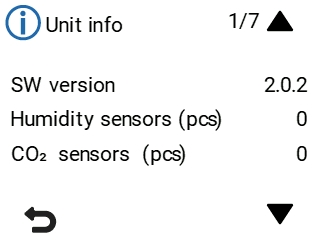
- The information appears on six different screens. Use the arrow buttons to move between the screens. The information is:
- Software version — Software version of the ventilation unit
- Humidity sensors (pcs) — Number of humidity sensors connected to the unit
- CO2 sensors (pcs) — Number of carbon dioxide sensors connected to the unit
- Type — Type code of the ventilation unit
- Model — Model of the ventilation unit
- Serial number — Serial number of the ventilation unit
- Operating time — The operating time of the ventilation unit in days and in years
- Latest power cut — Time elapsed since the latest power cut
- Handedness — Ventilation unit handedness. The ventilation unit can be right-handed (R), left-handed (L) or dual-access (R/L).
- IP address — The IP address of the ventilation unit
- Gateway — The gateway of the ventilation unit
- Mask — The mask of the ventilation unit
- Extract air — The temperature of extract air.
- Exhaust air — The temperature of exhaust air.
- Outdoor air — The temperature of outdoor air.
- Supply air — The temperature of supply air.
- Supply air temperature — The temperature of air from the HR cell.
- External sensor — External sensor temperature.
- Cloud connection status:
- Not connected — The ventilation unit has not been connected to the MyVallox Cloud service.
- Connected — The ventilation unit is connected to the MyVallox Cloud service.
- Connection error — Failed to connect to the MyVallox Cloud service.
- Bad Gateway error — Invalid gateway address.
- DNS error — The DNS name service is not working.
- Certificate error — Invalid ventilation unit certificate. Please contact the service centre.
- Handshake error — Failed to connect to the MyVallox Cloud service.
- Internal error — Internal error in the ventilation unit. Please contact the service centre.
- Old software version — The ventilation unit uses an old software version.
- Software update in progress — Updating the ventilation unit software.
- MyVallox Cloud UUID — The unique ID of the ventilation unit in the MyVallox Cloud service.
TIP:If the ventilation unit fails to connect to MyVallox Cloud, check that:- The ventilation unit is connected directly to a router.
- The router assigns the ventilation unit a private IP address (starting with 192, 172 or 10).
- You can access http://cloud.vallox.com on a computer browser via LAN.
- The router input ports 80 and 443 are available.
- Select Back:
