
Programmable input
Use the programmable input to compensate for changes in pressure caused by a central vacuum system, for example. When the building automation system detects that the central vacuum system has been turned on, it sends a message to the digital input, which controls the unit according to the values set for the programmable input.
NOTE:
There are two physical digital inputs, but there is only one programmable input.
To programme an input:
- Select Programmable input, 0 V / 24 V, for one digital input. See section Input settings.The first information screen of the programmable input opens:
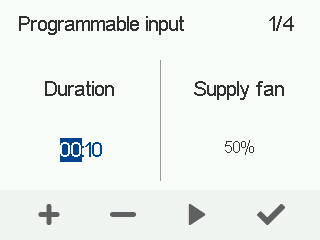
- Use the Plus and Minus buttons to set the duration of the programmable input in hours and minutes.
- Select Right arrow.
The screen for setting the supply air fan output for the programmable input opens:
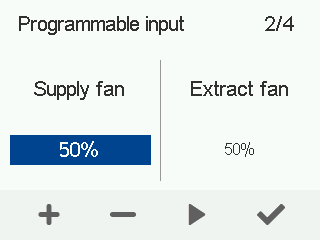
- Use the Plus and Minus buttons to set the supply air fan output as a percentage of the maximum output for the programmable input.
- Select Right arrow.
The screen for setting the extract air fan output for the programmable input opens:
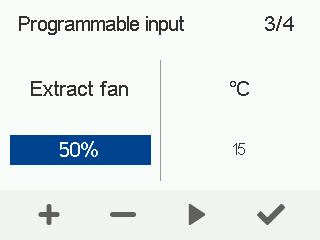
- Use the Plus and Minus buttons to set the extract air fan output as a percentage of the maximum output for the programmable input.
- Select Right arrow.
The screen for setting a temperature for the programmable input opens:
- Use the Plus and Minus buttons to set a temperature for the programmable input.The programmable input settings have now been configured. In addition to the aforementioned expert settings, the MyVallox Home/Cloud user interface can be used to turn a timer on or off.
- Select OK.
