
Viewing the Custom mode information
To view the basic information of the Custom mode:
- Press the Change mode button
 until the icon of the Custom mode appears on the display:
- Please wait until the main view of the Custom mode opens:
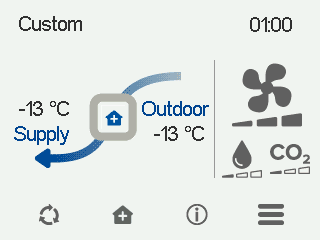
The main view shows a summary of the mode information.
- Select Custom information:

The first mode information screen opens:
Figure 1. Custom mode information CFi/MV 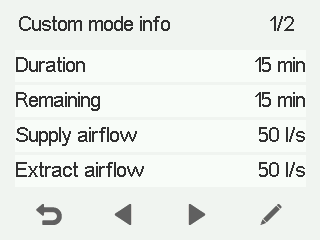
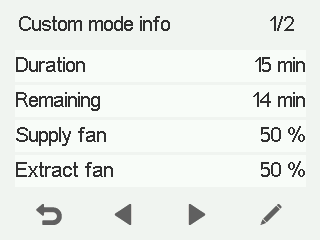
This screen shows the following information:
Duration — Shows how long the Custom mode will stay active when the timer is used and the Custom mode is activated. The time is set in hours and minutes (hh:mm)
Remaining — Shows how much time is remaining in the Custom mode.
Supply air flow (CFi) — Shows the current supply air flow (l/s or m3/h).
Extract air flow (CFi) — Shows the current extract air flow (l/s or m3/h).
Supply air fan speed (MV) — Shows the speed of the supply air fan as a percentage of the maximum speed.
Extract air fan speed (MV) — Shows the speed of the extract air fan as a percentage of the maximum speed.
NOTE:Unlike in other ventilation modes, the automatic boost functions (humidity, carbon dioxide and cooling) or freeze protection are not available in the Custom mode. The Custom mode should only be used temporarily to balance ventilation when lighting a fireplace or when a cooker hood is used, for example. - Select Right arrow. The second mode information screen opens.
This screen shows the following information:
- Supply air — Shows the temperature of the air blown into the building and its set value (in brackets), if the supply air is warmer than the set value.
- Outdoor air — Shows the outdoor temperature.