
Access level
The access level determines which settings the user can change and access. The access levels are:
- Limited — The user can change the ventilation mode and view the ventilation unit information. However, the user cannot change the system settings.
- Normal — The user can view the ventilation unit information and make limited changes to the settings. Access to expert settings is restricted.
- Extensive — The user can change all settings of the ventilation unit.
The factory-set access level is Extensive.
TIP:
See also User level diagrams.
To change the access level of the ventilation unit:
- Select Settings.

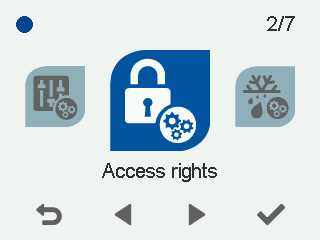
- Go to Expert settings and select Access rights.
- Select the desired access level.
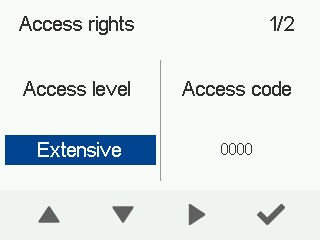 NOTE:To confirm the access level restrictions, enter the access code.