
Control panel address
Every control panel connected to the ventilation unit must have a unique address. If only one control panel is connected, its address can be any number from 10 to 19.
IMPORTANT:
If additional control panels are connected to the unit, they must be connected one at a time.
To set a control panel address:
- Select Settings:

- Select Expert settings with the arrow buttons.
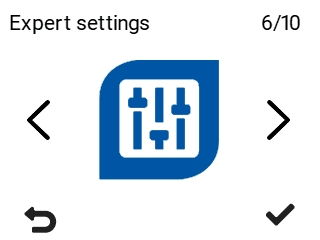
- Select OK:

- Use the arrow buttons to select I/O and bus settings.
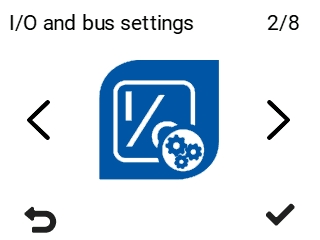
- Select OK:
- Select Control panel address.
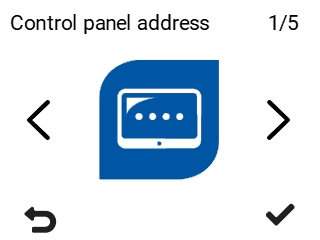
- Select OK:
- The Control panel address screen opens.
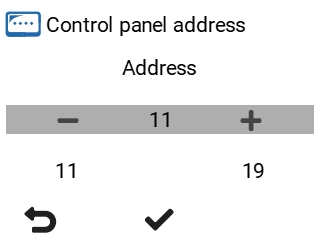
- Use the Plus and Minus buttons to set the control panel address. You can set the address between 11 and 19.
- Select OK: