
Adjusting the defrost humidity level (MV)
The humidity of indoor air affects the freezing of the HR cell significantly. The unit is optimised to operate in normal household conditions. If the unit is used in exceptional humidity conditions, for example in indoor pool facilities, the humidity level set for defrosting may have to be adjusted. The humidity percentage should be higher than zero in exceptional conditions and lower than zero in dry conditions.
IMPORTANT:
Do not change the relative humidity of indoor air without consulting an HVAC expert.
To set the relative humidity of indoor air:
- Select Settings.

- Select Expert settings with the arrow buttons.
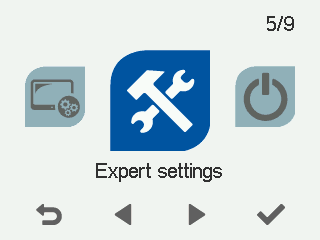
- Select OK.

- Select Defrost settings with the arrow buttons.
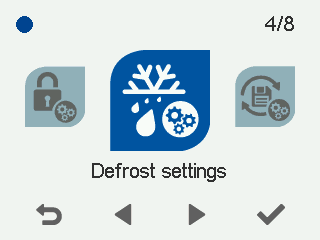
- Select OK.
- Select Right arrow.
The Defrost settings screen opens:
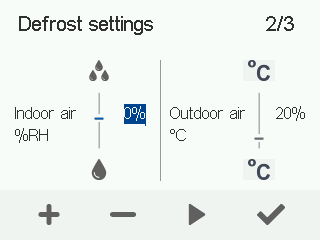
- Use the Plus and Minus buttons to adjust the humidity level. The factory setting is 0%, which is a normal indoor air humidity level. The humidity range is -50% – +50% RH.
- Select OK.