
Change the At Home mode settings
To change the At Home mode settings of the Vallox MV ventilation unit:
- Press the Change mode button
 until the icon of the At Home mode appears on the display:
- Please wait until the main view of the At Home mode opens:
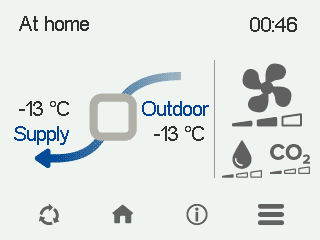
- Select At Home information:

- Select Edit.

The fan speed control screen opens:
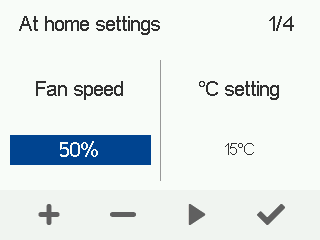
- Use the Plus and Minus buttons to set the fan speed as a percentage of the maximum output for this ventilation mode.
- Select Right arrow.
The temperature control screen opens:
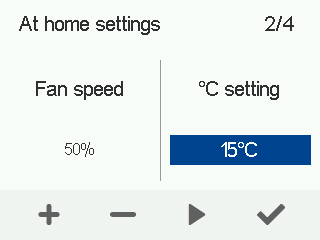
- Use the Plus and Minus buttons to set the target supply air temperature for this ventilation mode.You can set the temperature between +5°C and +25°C. The recommended temperature is +18°C or 2–3°C below room temperature.
- Select Right arrow.
The screen for automatic fan speed control based on relative humidity opens:
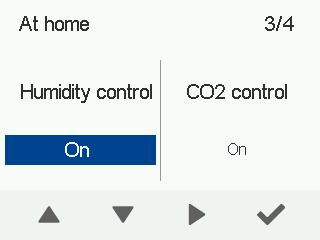
- Use the arrow buttons to enable or disable automatic fan speed adjustment based on relative humidity.
- Select Right arrow.
The screen for automatic fan speed control based on carbon dioxide content opens:
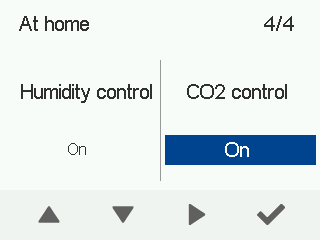
- Use the arrow buttons to enable or disable automatic fan speed adjustment based on carbon dioxide content.
- Select OK.
