
Automatic daylight saving time
By default, automatic daylight saving time is turned on. To use the manual daylight saving time setting:
- Select Settings.

- Select Time and date with the arrow buttons.
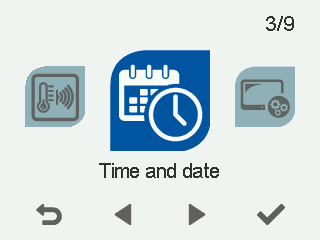
- Select OK.

The Time and date settings open.
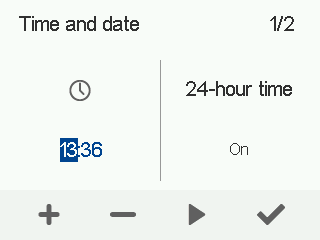
- Select Right arrow.:
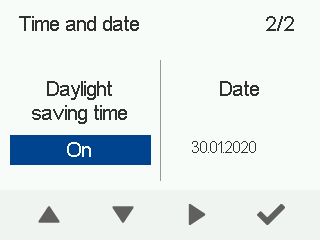
- Use the Up arrow and Down arrow buttons to enable or disable automatic daylight saving time.
- Select OK.