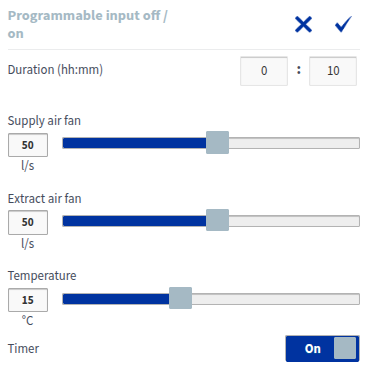
Programmable input
The programmable input compensates for underpressure caused by, for example, the use of a central vacuum system or cooker hood. When the building automation system detects that the appliance has started, it sends a signal to the programmable digital input of the ventilation unit. The ventilation unit then adjusts the air flow according to the set values.
NOTE:
The ventilation unit has two digital inputs (Digital input 1 and Digital input 2). You can select the programmable input to be activated from either digital input, but only one programmable input profile is available, so the settings are the same for both.
To program the input:
- Open Expert settings and select Digital input 1 or Digital input 2 under Input settings, depending on where the programmable input is connected to be activated.
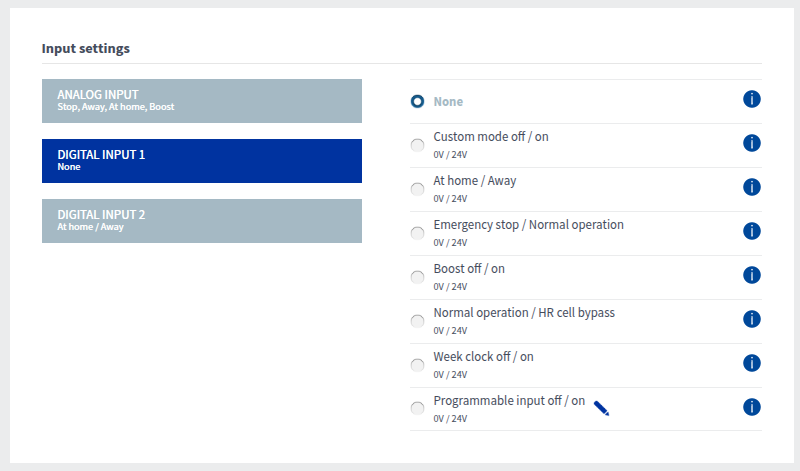
- Select the programmable input and the Edit button:

Set the air flow rates (l/s or m3/h) for the programmable input’s supply air fan and extract air fan. Note that in compensation situations, it is recommended that the difference between supply and extract air flows does not exceed 30%.
Set the desired supply air temperature setting for the programmable input. You can adjust the temperature between +5°C and +25°C. The factory setting is 15°C.NOTE:High temperature demand (>20°C) can increase energy consumption, as it requires the ventilation unit to use the post-heating resistor more.The programmable input timer only works with the push-button function. In other cases, the programmable input remains active until the voltage of the digital input changes.