
Digital input 1 and 2
To edit the digital input 1 or 2 of the ventilation unit:
- Select Expert settings.
- Select Digital input 1 or 2 in the Input settings area.
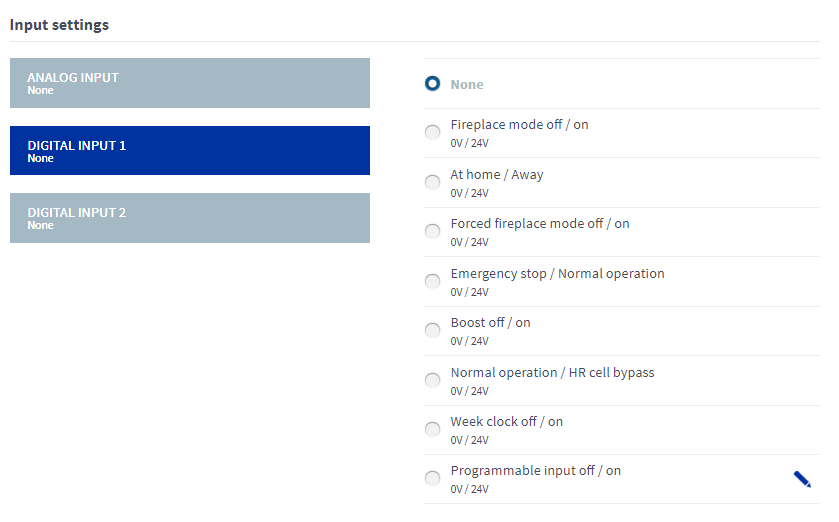
- Select the function of the digital input 1 or 2.
The options are:
Table 1. Digital input control functions Function Rocker switch Push button 0 V 24 V 24 V pulse for less than 5 seconds None — The input is not enabled. - - - Custom mode off/on
0V / 24V
Off On On for the set time At Home/Away
0V / 24V
Does not work in the Boost mode.
- Away Switches the mode between At Home and Away. Emergency stop / Normal operation
0V / 24V
Unit shuts down Normal operation - Boost off/on
0V / 24V
When the Boost mode is deactivated, the unit switches back to the previous ventilation mode.
Off On On for the set time. Normal operation / HR cell bypass
0V / 24V
Automatic Bypass Switches the bypass mode Week clock off/on
0V / 24V
Off On Switches the week clock mode Programmable input off/on
0V / 24V
Off On On for the set time NOTE:Only one function per input can be active at a time.