
Setting a sleep time
The MyVallox Control panel automatically switches to the sleep mode when the pre-set sleep time has elapsed.
- Select Settings.

- Select Display settings with the arrow buttons:
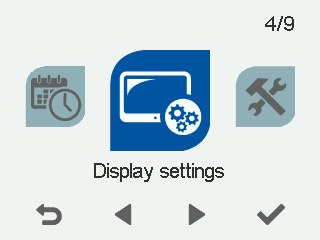
- Select OK.

The Display settings 1/2 screen opens.
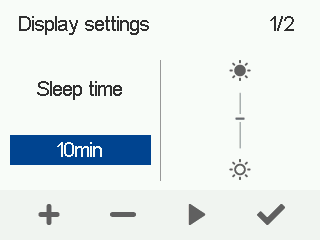
- Use the Plus and Minus buttons to set the Sleep time in minutes.
- Select OK.
TIP:
The MyVallox Control panel automatically switches to the sleep mode when the pre-set Sleep time has elapsed. To reactivate the MyVallox Control panel, press any. button.