
Changing the Away mode settings
To change the Away mode settings:
- Press the Change mode button
 until the icon of the Away mode appears on the display: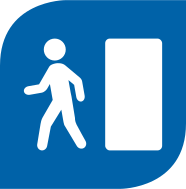
- Please wait until the main view of the Away mode opens:
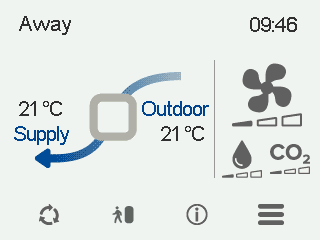
- Select Away information:

- Select Edit.

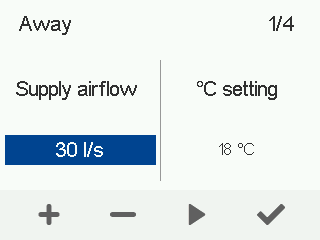
CFi: The air flow control screen opens:
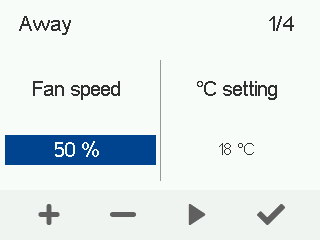
CFi: The fan speed control screen opens:
- CFi:Use the Plus and Minus buttons to set the target supply air flow level. The extract air flow level is adjusted automatically according to the supply air flow, and the user does not have to adjust it separately.
MV:Use the Plus and Minus buttons to set the fan speed as a percentage of the maximum output for this ventilation mode.
- Select Right arrow.
The temperature control screen opens:
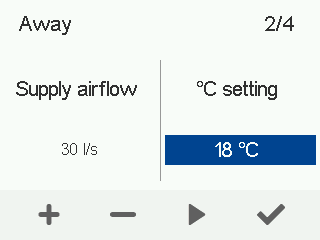
- Use the Plus and Minus buttons to set the target supply air temperature for this ventilation mode.The temperature range is +5°C – +25°C.
- Select Right arrow.
The screen for automatic fan speed control based on relative humidity opens:
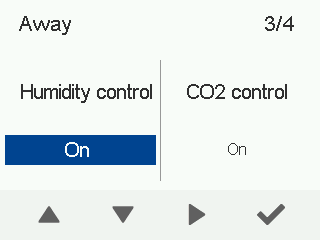
- Use the arrow buttons to enable or disable automatic fan speed adjustment based on relative humidity.
- Select Right arrow.
The screen for automatic fan speed control based on carbon dioxide content opens:
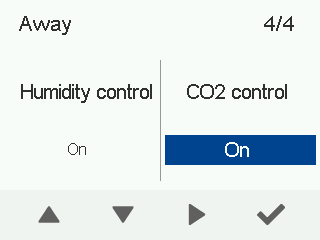
- Use the arrow buttons to enable or disable automatic fan speed adjustment based on carbon dioxide content.
- Select OK.
