
Viewing the relative humidity and carbon dioxide statistics
To view the relative humidity and carbon dioxide statistics:
- Select Settings.

- Select Temperatures and sensors with the arrow buttons:
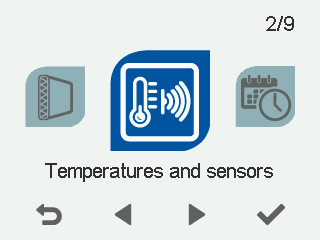
- Select OK.
 TIP:
TIP:You can also access the temperature and sensor information by selecting the information button on the mode screen:

A summary of the temperatures and sensors appears:
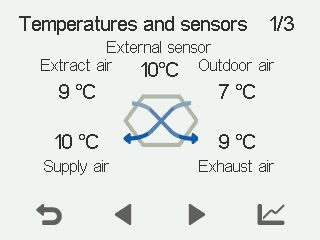
- Select Right arrow.
A screen showing the relative humidity level measured by humidity sensors 1–3 opens.
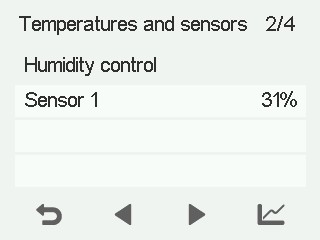 NOTE:
NOTE:The daily statistics are reset after a power cut.
- Select Statistics:

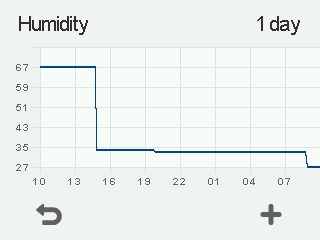
A graph opens depicting the trend of relative humidity in the last 24 hours measured by the sensor that measured the highest value:
- Select Right arrow.
A screen showing the relative humidity level measured by humidity sensors 4–6 opens. You can view the statistics like with sensors 1–3.
- When you are ready, return to the sensor group menu by selecting Back:

- Select Right arrow.
A screen showing the carbon dioxide level measured by carbon dioxide sensors 1–3 opens.
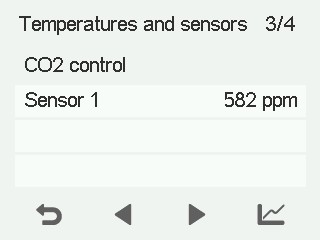
- Select Statistics:
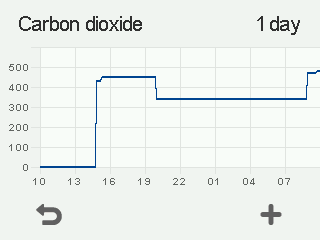
- A graph opens depicting the trend of carbon dioxide in the last 24 hours measured by the sensor that measured the highest value:
- Select Right arrow.A screen showing the carbon dioxide level measured by carbon dioxide sensors 4–6 opens. You can view the statistics like with sensors 1–3.
- When you are ready, return to the sensor group menu by selecting Back:
- Exit the menu by selecting Back: