Jump to main content
Installing the MyVallox Touch control panel
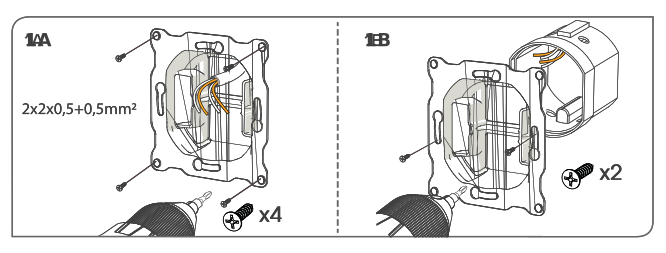
- Screw the back of the control panel to a wall according to image 1A or to an outlet box according to image 1B.
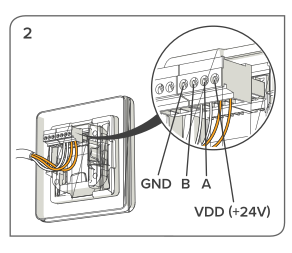
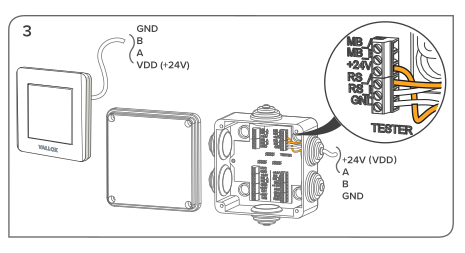
- Connect the wires to the control panel and the ventilation unit’s external connection box according to images 2 and 3.
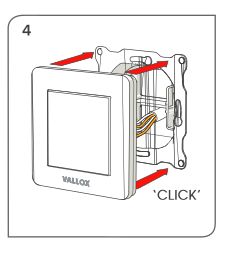
- Push the front cover of the control panel in place according to figure 4. You will hear a clicking sound when the cover locks into the bottom part.
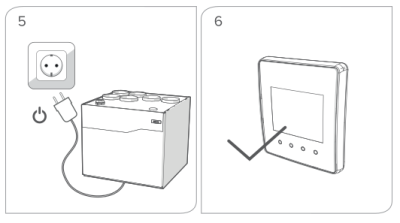
- Plug in the ventilation unit. If the wires are connected correctly, both the unit and the control panel are turned on.