
Example of setting a weekly programme
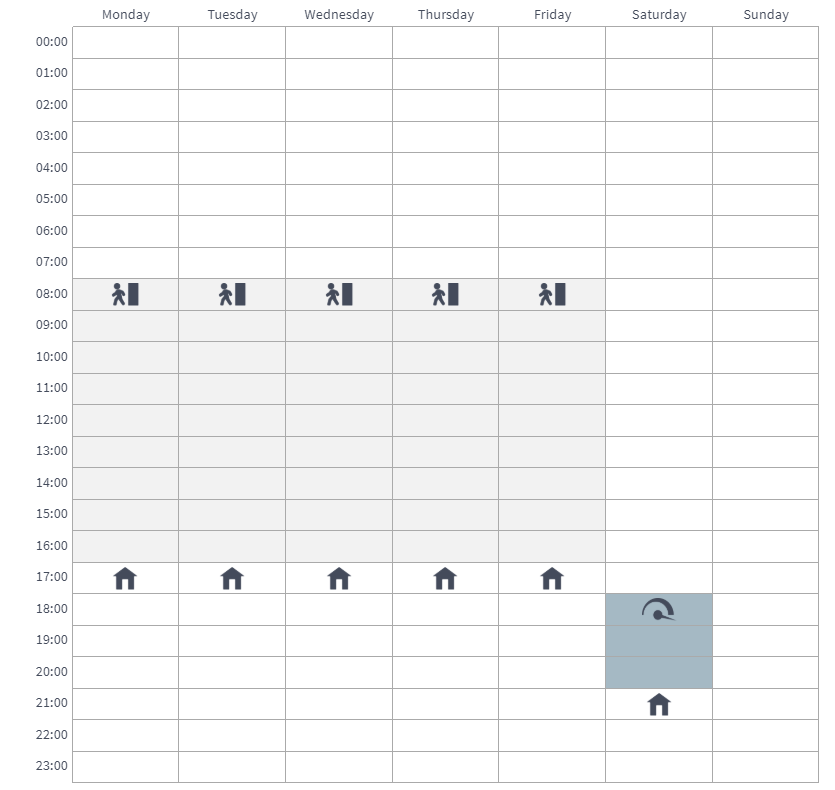
In this example, the following weekly programme has been set:
- Mon–Fri 8–17, you are not home.
- Mon–Fri 17–7, you are home.
- Sat 8–17, you are home.
- Sat 18–20, you are home and need boosted ventilation e.g. for cooking.
- From Sat 21 until Mon 8, you are home.
The figure above shows the aforementioned settings of the week clock:
To set the week clock, proceed as follows:
- Open the week clock.
-
Select Monday, and make the following settings:
-
8:00: set the Away mode.
-
17:00: set the At Home mode.
-
- Then make the corresponding settings for the other weekdays.
-
Then select Saturday, and make the following settings:
-
18:00: set the Boost mode.
-
21:00: set the At Home mode.
-
- Ensure that the week clock is turned on. If not, see Chapter Turning the week clock on and off.