Editing the Custom mode settings
To edit the Custom mode settings:
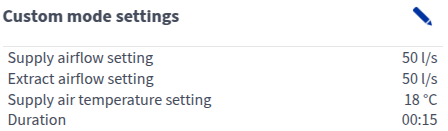
- Open Operation menu and select the Custom mode.

- Select Edit in the top right-hand corner.
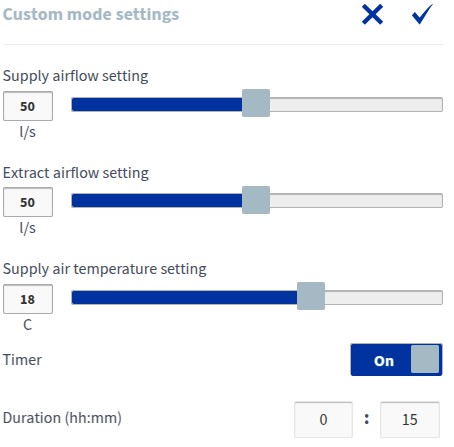
- Adjust the settings:
- Supply airflow setting — Set the ventilation output (l/s or m3/h). If you need to create a temporary overpressure in the Custom mode, for example, when lighting a fireplace or using a cooker hood, we recommend increasing the supply air flow. Reducing the extract air flow is not recommended.
- Extract airflow setting — Set the ventilation output (l/s or m3/h).NOTE:Unlike the other ventilation modes, the Custom mode does not have automatic boost functions (humidity, carbon dioxide and cooling) or freeze protection. The Custom mode should only be used for short-term ventilation balancing, for example, during the use of a fireplace or cooker hood.
- Supply air temperature setting — Set the target supply air temperature between +5°C and +25°C. This will affect the temperature of air blown into the apartment and the unit will attempt to adjust the supply air to the target temperature, using heat recovery and post-heating where necessary. Recommendation: 18°C or 2–3°C below room temperature.NOTE:High temperature demand (>20°C) can increase energy consumption, as it requires the ventilation unit to use the post-heating resistor more.
- Custom mode timer
- On — The ventilation mode remains active for the duration of the timer, after which it reverts to the previous mode. The duration is set in hours and minutes (hh:mm).
- Off — The ventilation mode remains on until manually changed by the user or until changed by the week clock.IMPORTANT:When compensating for fireplace use, the Custom mode’s timer can only be deactivated if the external fireplace switch has its own timer.