
Editing the At Home mode settings
To edit the At Home mode settings:
- Open Operation menu and select the At Home mode.

- Select Edit in the top right-hand corner.
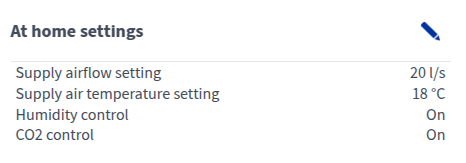
- Supply airflow setting — Set the supply airflow rate (l/s or m3/h) for the At Home mode, i.e. when the apartment is occupied. The supply air flow setting must not be lower than in the Away mode or higher than in the Boost mode.NOTE:The extract air flow is automatically adjusted based on the supply air flow setting and the settings configured during setup and cannot be changed by the user.
- Supply air temperature setting — Set the target supply air temperature between +5°C and +25°C. This will affect the temperature of air blown into the apartment and the unit will attempt to adjust the supply air to the target temperature, using heat recovery and post-heating where necessary. Recommendation: 18°C or 2–3°C below room temperature.NOTE:High temperature demand (>20°C) can increase energy consumption, as it requires the ventilation unit to use the post-heating resistor more.
- Humidity control — When On (factory setting), the ventilation unit automatically adjusts the fan speed based on the indoor humidity level. This helps remove excess humidity after a shower or doing laundry, for example, and prevents moisture from building up in structures. When Off, ventilation is not affected by the humidity level. Humidity control should only be deactivated in special situations where fluctuations in humidity levels are not significant.
- CO2 control — When On (factory setting), the ventilation unit adjusts the fan speed according to the carbon dioxide content of the room air. This improves air quality, especially when there are a lot of people indoors or when the air flow is otherwise low.
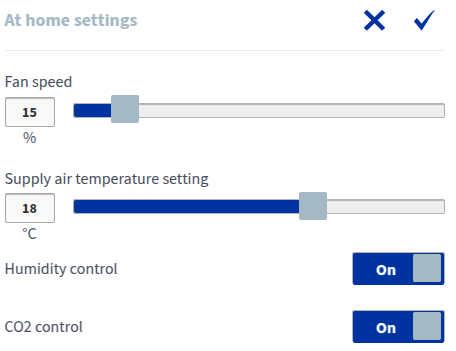
- Supply airflow setting — Set the supply airflow rate (l/s or m3/h) for the At Home mode, i.e. when the apartment is occupied. The supply air flow setting must not be lower than in the Away mode or higher than in the Boost mode.
- Select OK to save your changes.