
Setting the date the filters were last replaced
Instructions for replacing the filter are provided in the Maintenance section.
After replacing the filters, enter the replacement date:
-
Select Operation menu.
Information relating to the replacing of filters has been described in the Replacing the filters area:
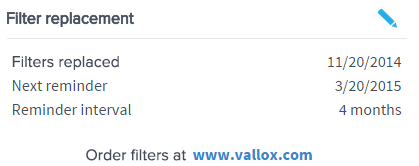
-
Select Edit in the right top corner of the area:
 The Replacing the filters display will open in the editing mode: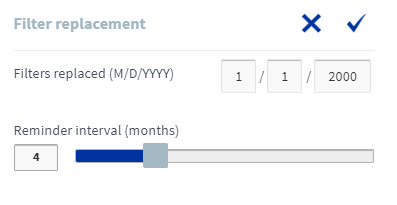
-
Enter the date the filters were replaced in the Replaced fields:

- Select OK.
 .
.
NOTE:
Based on the set reminder interval, the unit will automatically set the maintenance reminder to provide a reminder to replace the filters at the due time. See Setting the Filter replacement reminder interval.