
Diagnostics
To view temperature and sensor data, select Operation menu.
The temperatures are displayed in the Temperatures area:
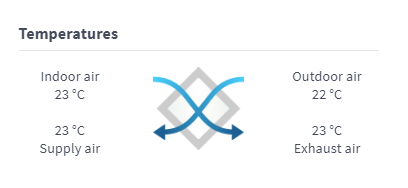
This area shows the following information:
- Extract air — Indicates the temperature of air flowing into the unit, to be removed from the apartment.
- Outdoor air — Indicates the temperature of air flowing into the unit from outside.
- Supply air — Indicates the temperature of air flowing into the apartment from the unit.
- Exhaust air — Indicates the temperature of air flowing out from the unit.
- External sensor — Indicates the temperature of the external sensor. This is shown only when a method of use is selected for the sensor in the expert settings. The value depends on the sensor location selected for the intended use.