
Setting the date the filters were last replaced
For information about replacing the filters, see the maintenance instructions of the Vallox ventilation unit (see Maintenance).
After replacing the filters, enter the replacement date:
- Select Operation menu.Information relating to the replacing of filters has been described in the Replacing the filters area:
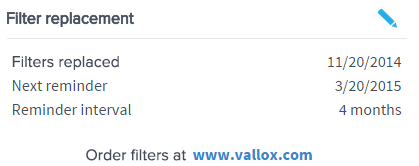
- Select Edit in the right top corner of the area:
 The Replacing the filters display will open in the editing mode: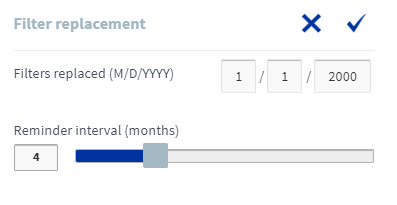
- Enter the date the filters were replaced in the Replaced fields:

- Select OK.
 .
.
NOTE:
Based on the set reminder interval, the unit will automatically set the maintenance reminder to provide a reminder to replace the filters at the due time. See Setting the Filter replacement reminder interval.