
Operations menu
The Operation menu tab is shown in the figure below.
NOTE:
The figure only shows a part of the user interface.
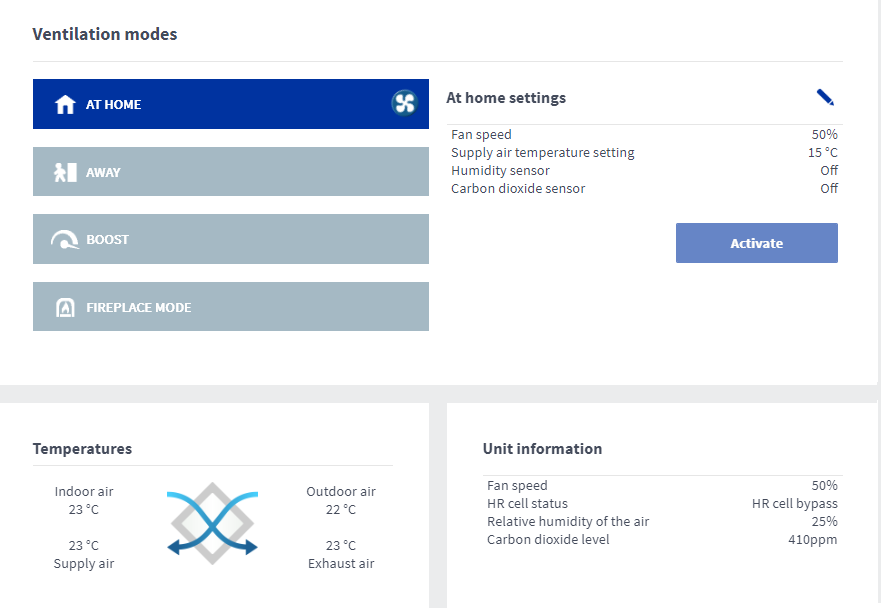
The Operation menu tab allows you to:
- change the ventilation mode used
- view the information of the selected ventilation mode and edit its settings
- view the current temperatures
- check the filter condition
- view the temperature, humidity, and carbon dioxide statistics for the past month
- view the week clock information and to edit its settings.