Viewing sensor statistics
To view the sensor statistics:
- Select Operation menu.
Colour-coded statistics are shown in the Temperatures and sensors area:
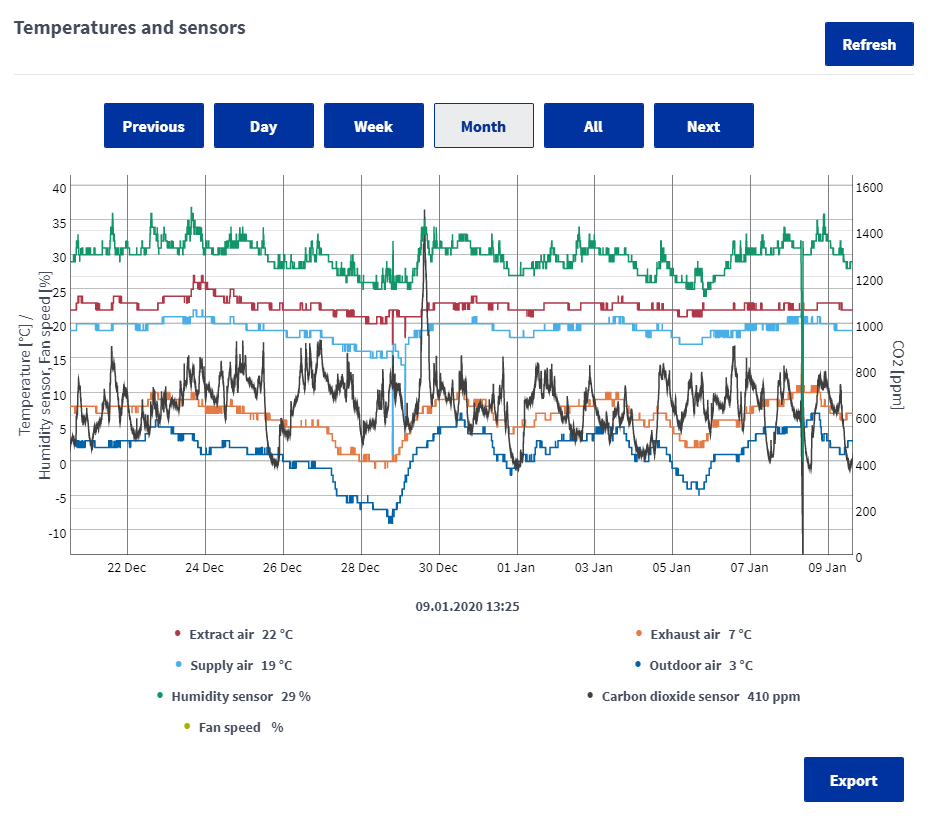
Use the buttons above the statistics to select the desired inspection period.
- To update the statistics, select Refresh.
- To save the statistics, select Export.The file is saved in Excel format. This function is only available in the MyVallox Cloud interface.